
LogPad
A search-first notes and daily logging app for people who want low-friction capture without filing everything first.

iPhone · iOS 18.0 or later
Best for
Fast notes for daily capture.
- Quick notes
- Daily logs
- Meeting notes
- Writing fragments
- Lightweight PKM
Why it matters
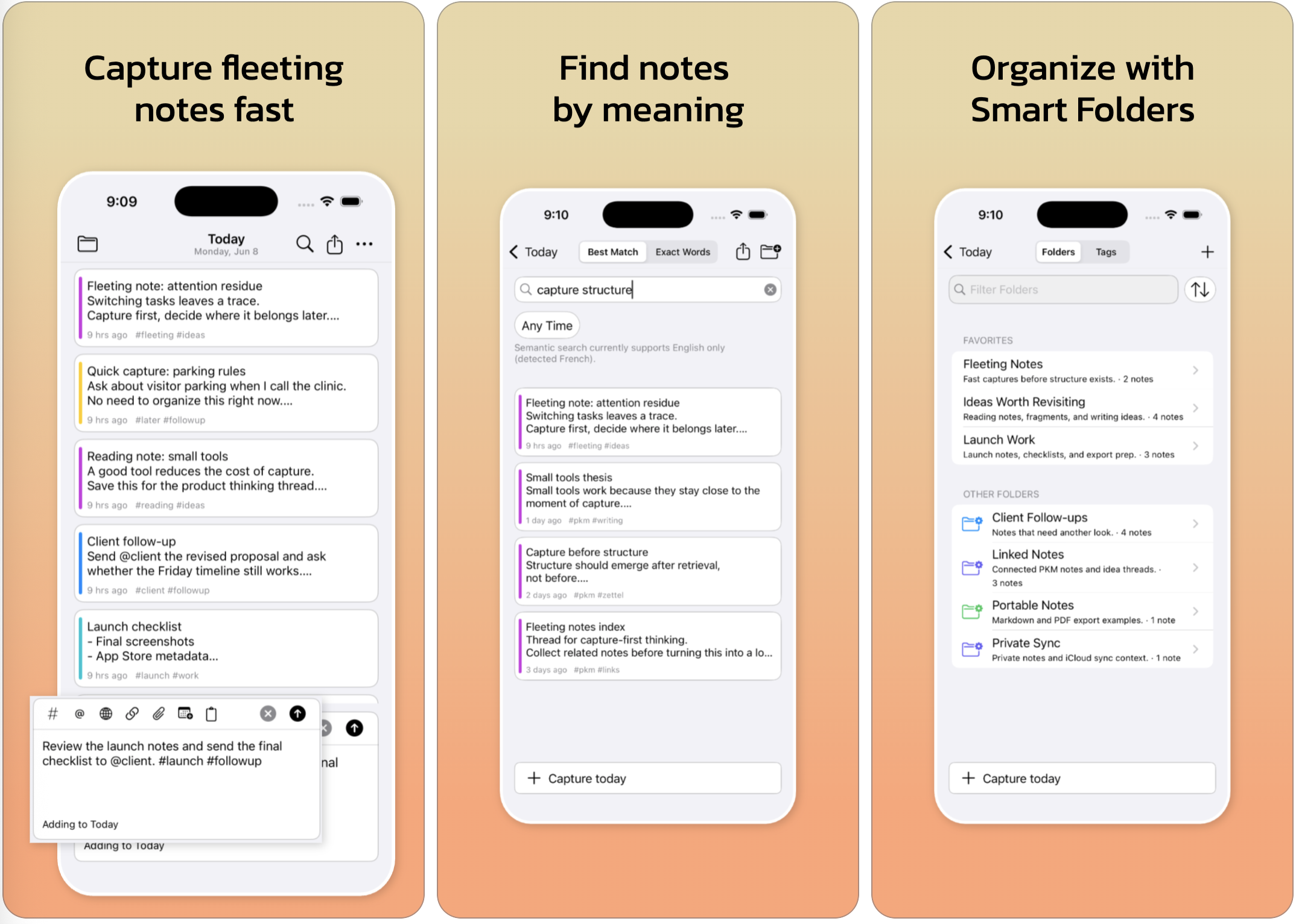
Capture thoughts, links, attachments, tags, mentions, and Markdown notes before they disappear. LogPad keeps quick notes searchable and exportable.
Features
Designed around real workflows.
Capture anywhere
Add notes from Today, Search, Folders, Smart Folders, widgets, and filtered lists. Capture in context without first deciding where the note belongs.
Plain text with useful structure
Use #tags, @mentions, note links, attachments, and lightweight Markdown while keeping the note body readable, searchable, and exportable.
Search first, organize later
Use Exact Words when you remember the phrase, Best Match when you remember the idea, and Smart Folders when you want saved views that update automatically.
Export when you need ownership
Export notes as text, Markdown, or PDF. Premium adds export bundles, attachment handling, and daily backup automation for a more portable archive.
FAQ
Common questions
Can I use LogPad without organizing notes first?
Yes. LogPad is built for quick capture first. You can add structure later with search, dates, tags, mentions, Smart Folders, links, and exports.
Can LogPad export Markdown?
Yes. LogPad can export notes as Plain Text or Markdown. Premium adds PDF export, bulk export, bundles, and one-tap save automation.
How do Smart Folders work?
Smart Folders are saved filters. They collect matching notes by search terms, tags, dates, links, attachments, and other criteria without moving the notes.
Does LogPad support attachments?
Yes. You can add files as attachments, keep them linked inside notes, preview supported files, and include attachment references in exports.
Guides
Learn common LogPad workflows.
Daily logging vs quick notes
How daily logs, quick notes, search, tags, and Smart Folders fit together in LogPad.
TutorialHow to use Smart Folders in LogPad
Create saved views that collect notes by tags, dates, attachments, links, and search terms.
WorkflowHow to use LogPad for quick capture notes
Capture ideas, links, meeting notes, tasks, and fragments before they disappear.
TutorialHow to organize LogPad notes with tags and mentions
Use lightweight tags and mentions to organize notes without slowing down capture.
TutorialHow to export notes from LogPad
Understand LogPad export options for text, Markdown, PDF, bundles, and backups.
WorkflowA simple daily review workflow for LogPad
Review captured notes, add structure, find follow-ups, and keep daily notes useful.
FeatureHow Markdown notes fit into LogPad
Use Markdown for readable, portable notes without turning quick capture into formatting work.
Need the full guide?
The app includes embedded help. You can also download the current PDF guide for reference.
Download PDF guide